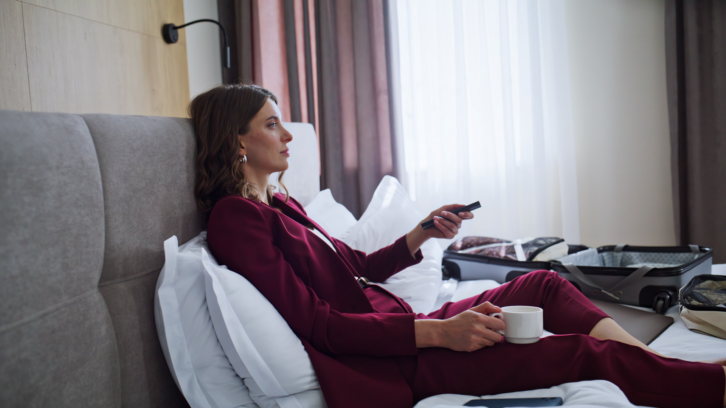
 Whether staying at a hotel or Airbnb, people frequently rely on the TV for entertainment and business. But hotels are very limited in their programming guides, and Airbnb properties don’t always have the programs you watch
After settling in, you spend the first ten minutes just figuring out the remote and the channel guide, only to discover the lineup is stuck with a handful of basic cable channels and maybe, on a good day, a premium movie channel. It’s a watered-down version of what you’re used to at home. Thankfully, there’s a compact fix that solves the problem in minutes.
Pack an HDMI-Enabled Streaming Stick for On-the-Go Entertainment
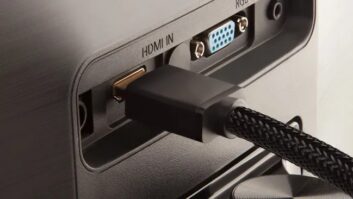
A streaming stick that plugs into an HDMI® port has become one of the smartest things a traveler can throw in a carry-on. Options like the Fire TV Stick, Roku Streaming Stick, or Chromecast are all built the same basic way: a small dongle connects to any TV’s HDMI input and transforms it into a screen that runs your own accounts, not the hotel’s. Once it’s set up, you’re no longer stuck with cable reruns — you can log into Netflix, Hulu, Amazon Prime Video, YouTube TV, or nearly any other app you already pay for at home.
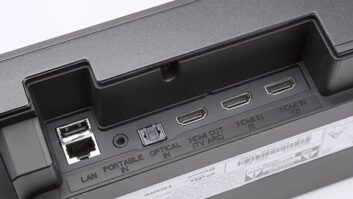
Getting one running is easy. Locate an available HDMI port on the back or side of the TV. It’s also worth packing the stick’s charging cord, since not every hotel TV has a spare USB port to draw power from; a backup micro-USB cable and wall plug cost very little and can save the trip if your original cord goes missing. After the device is powered on, join the hotel’s internet network. If the sign-in page doesn’t load automatically, opening a browser and entering a basic web address will usually prompt it. No
Wi-Fi, or a connection that keeps dropping? Switching the stick over to a phone’s mobile hotspot usually does the trick.
Entertainment isn’t the only reason to bring one along. A streaming device also opens the door to fitness apps, weather apps, and local guides, giving you a quick way to plan the day ahead. Between shows, workouts, and trip-planning tools, a small streaming stick ends up doing a lot more than just replacing cable.
Laptops offer a similar upgrade. Because most hotel and Airbnb TVs now include at least one open HDMI input, connecting a laptop directly is usually as easy as connecting an HDMI cable. From there, you can stream video through a browser, use the bigger screen to extend your desktop and work more comfortably, or even plug in a controller and game on a screen far larger than your laptop display. It’s a low-effort way to get a much better viewing — or gaming — setup out of a single cable.
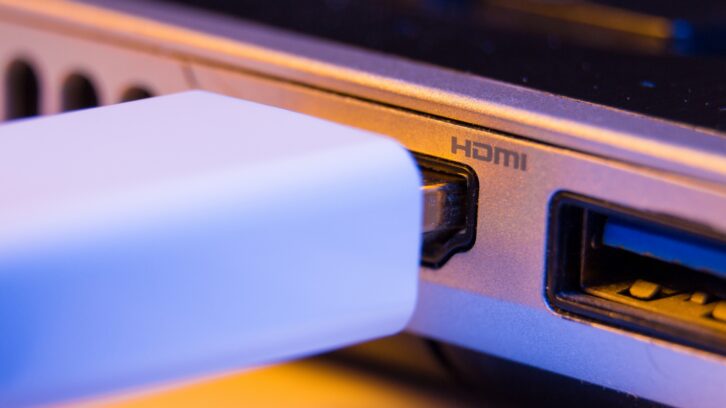
Don’t Forget the Business Side of HDMI Travel Gear
Vacationers aren’t the only ones who benefit from packing HDMI accessories. Nearly every conference room, meeting space, or office you’ll visit on a work trip comes equipped with an HDMI-ready display, which means a laptop can be turned into a presentation tool the moment it’s plugged in. There’s no need to fumble with unfamiliar equipment or track down someone from IT; just connect the cable, mirror or extend the display, and you’re ready to present.
That same setup pays off for anyone splitting time between a home office, client locations, and hotel rooms. Hooking a laptop up to a hotel TV or an available monitor at a client’s office makes it far easier to juggle spreadsheets, decks, and email side by side — essentially converting whatever room you’re in into a functional workstation for the day.
For companies with a presence at trade shows, conferences, or expos, purpose-built commercial streaming devices take things a step further. The Amazon Signage Stick, for example, is designed for exactly this kind of use: it pulls branded content, marketing materials, and presentations straight from cloud storage and displays them on any HDMI-connected digital signage display. Rather than shipping laptops, DVD players, or loaded USB drives to every event, simply plug a signage stick into the booth’s display and let it run — with content that can still be swapped or updated remotely from the cloud, even after the stick is already set up on-site.
 Most People Don’t Know the Benefits — So We Need to Remind Them
Whether the trip is for relaxation or for work, HDMI-based travel gear solves a shared problem: unfamiliar screens that don’t work the way you need them to. Leisure travelers get their own shows, movies, sports, and apps instead of a limited cable lineup. Business travelers get quick, reliable presentations, a workable second office on the road, and professional digital signage that doesn’t require lugging extra equipment. Either way, packing a small streaming or signage stick can change how much you get out of a trip — long after the TV in the room has been switched on.
For more information: www.hdmi.org
The terms HDMI, HDMI High-Definition Multimedia Interface, HDMI Trade Dress and the HDMI Logos are trademarks or registered trademarks of HDMI Licensing Administrator, Inc. All other trademarks, registered trademarks, or service marks are the property of their respective owners in the United States and/or other countries.
About HDMI Licensing Administrator, Inc.
HDMI Licensing Administrator, Inc. (HDMI LA) is the agent appointed by the HDMI Forum to license Version 2.2 of the HDMI Specification and is the agent appointed by the HDMI Founders to license earlier HDMI Specifications. HDMI LA provides marketing, promotional, licensing and administrative services. For more information, please visit www.hdmi.org.